Run your repair or service business in one place
Simple, modern software for repair and service shops — designed to bring more clarity, control, and peace of mind to your daily work
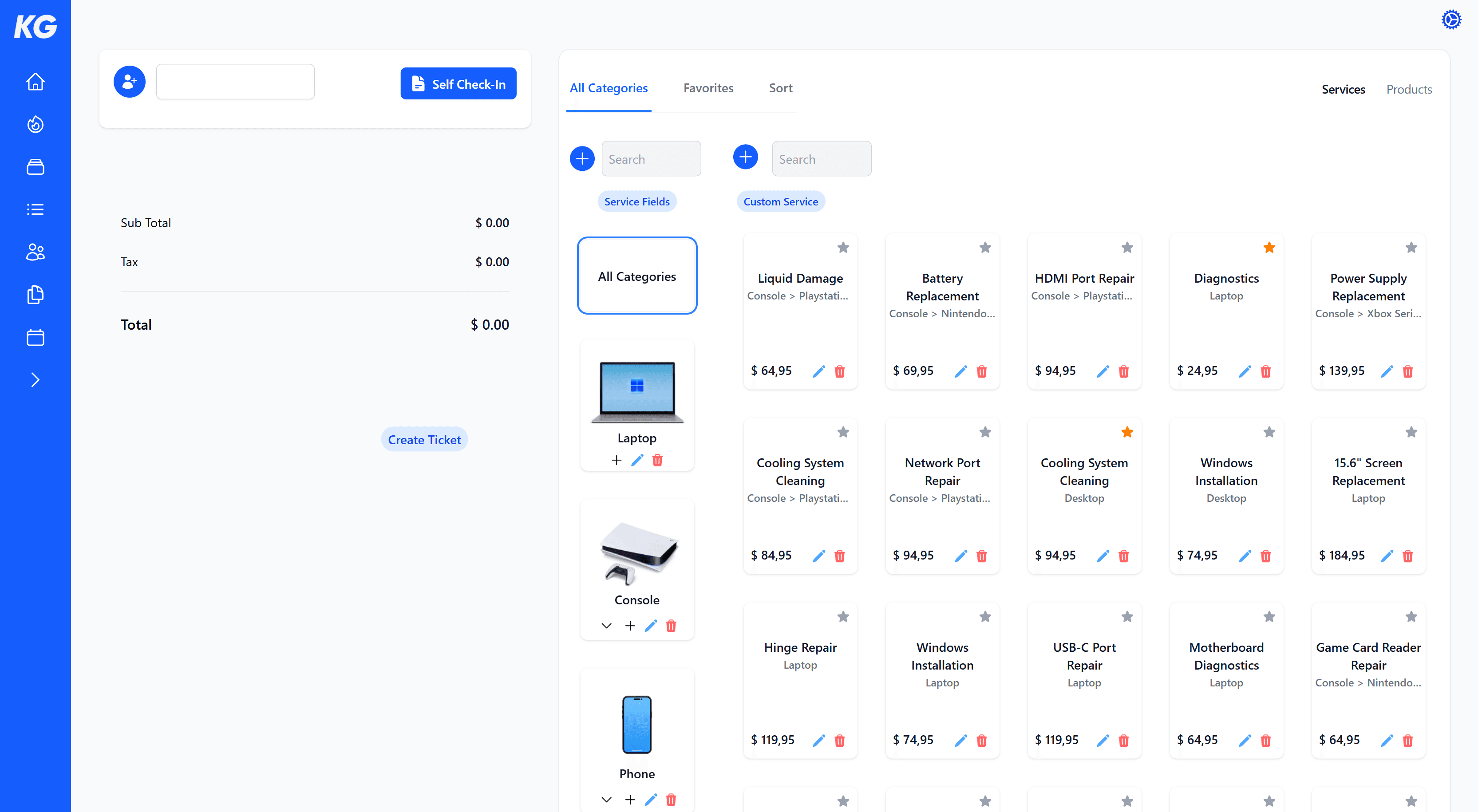
Automate the entire sales process
Let customers check themselves in, add services and products in seconds, and guide them through the terms and conditions and a digital signature before creating the ticket.
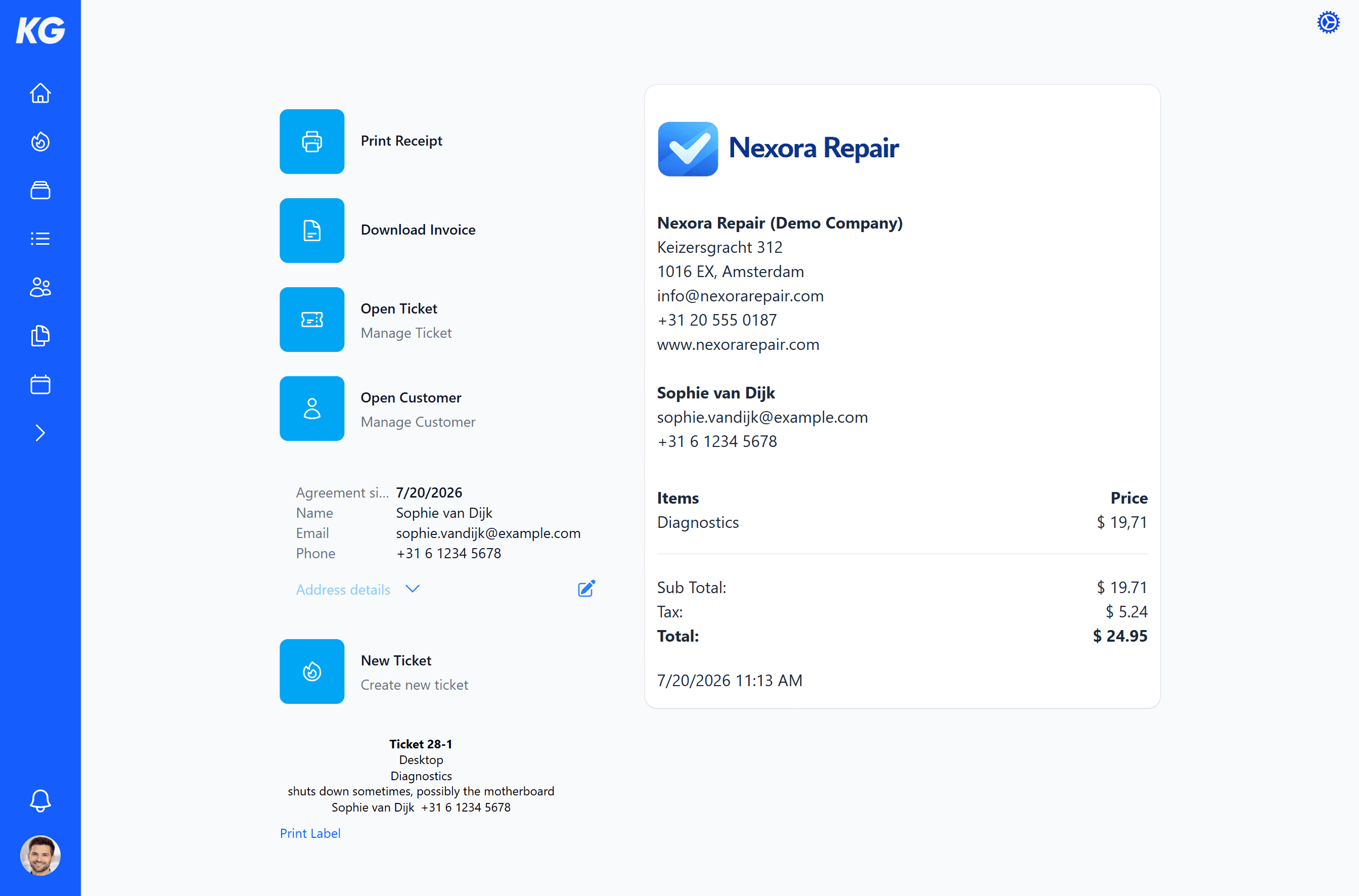
Ready for the next step
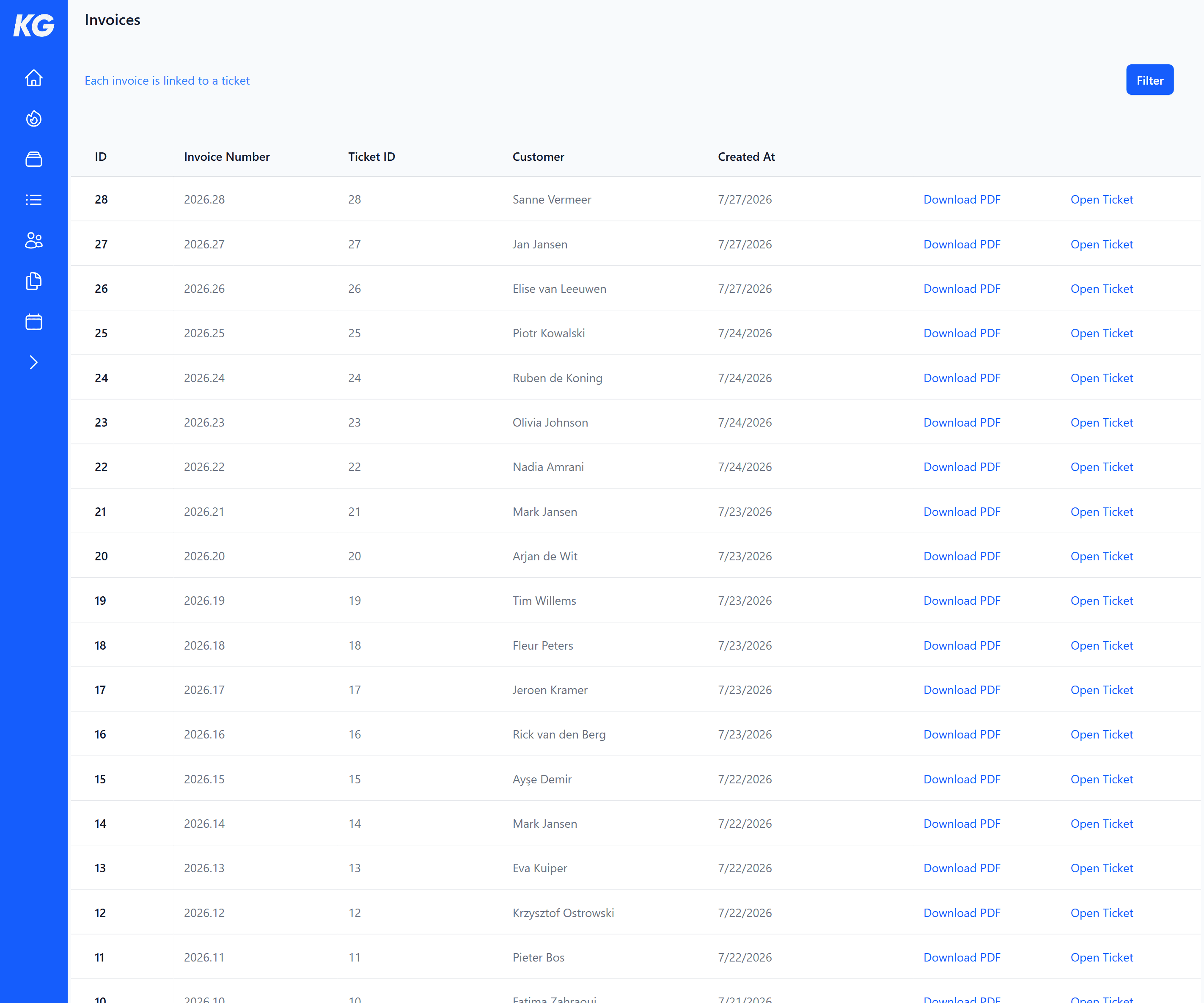
Print the receipt and labels, download the invoice, or instantly open the customer and ticket. Every sale is automatically saved and ready for further processing.
Everything you need to run your business
Manage tickets, customers, planning, communication, sales, invoices, and your team from one complete cloud-based platform.
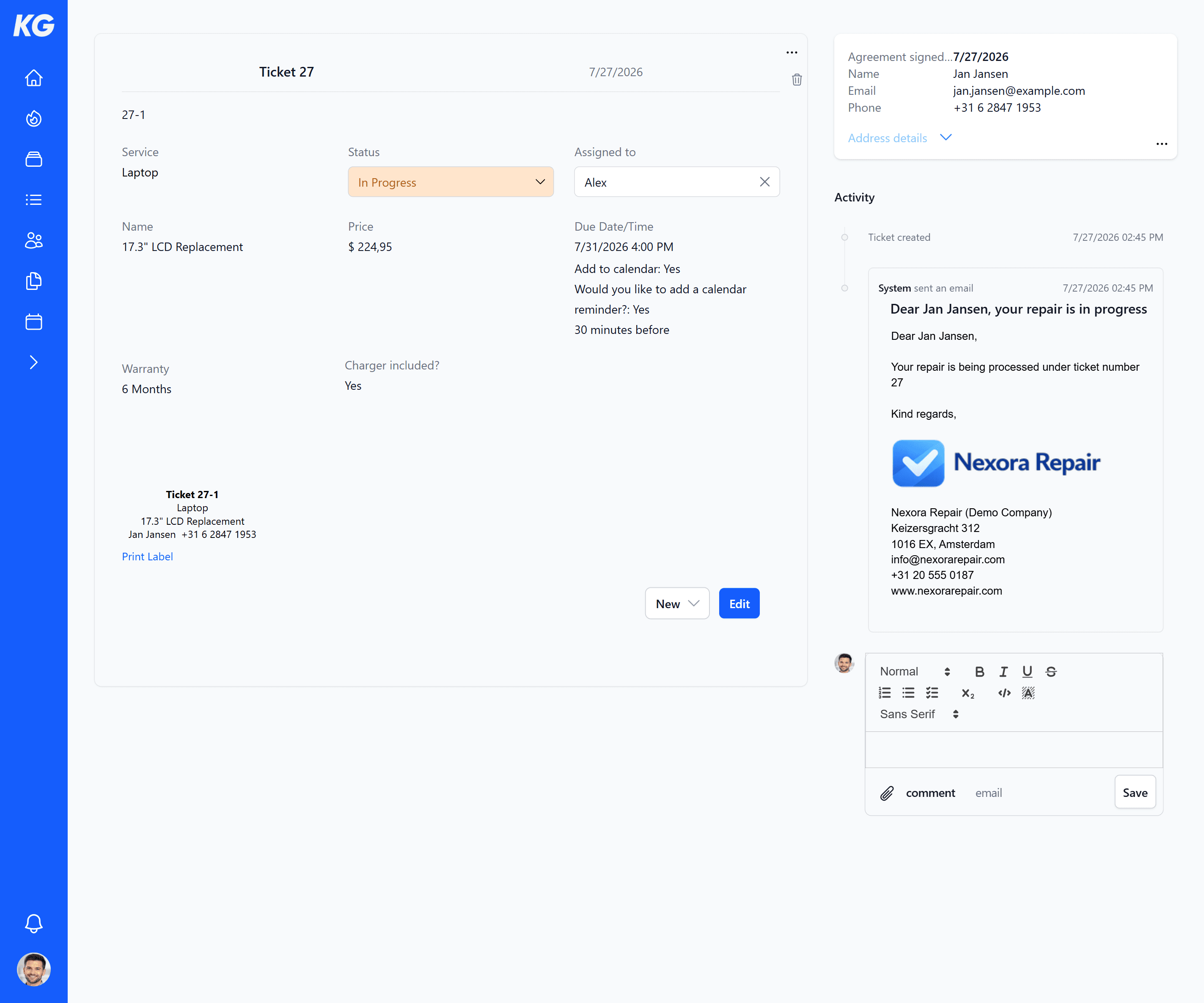
Organized ticket management
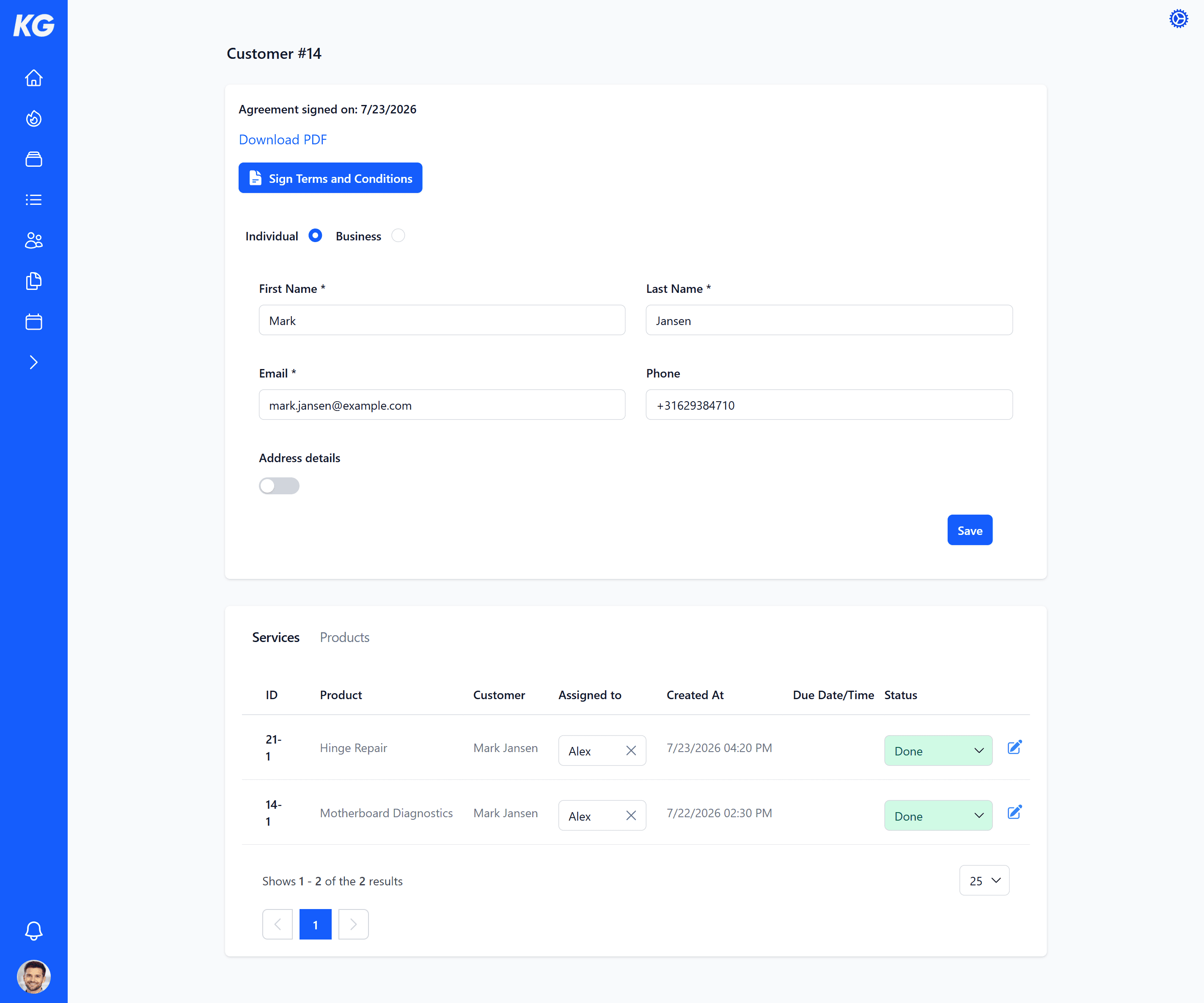
- Manage every repair or service as a ticket with customer details, status, assigned team member, notes, due date, extra fields, and images.
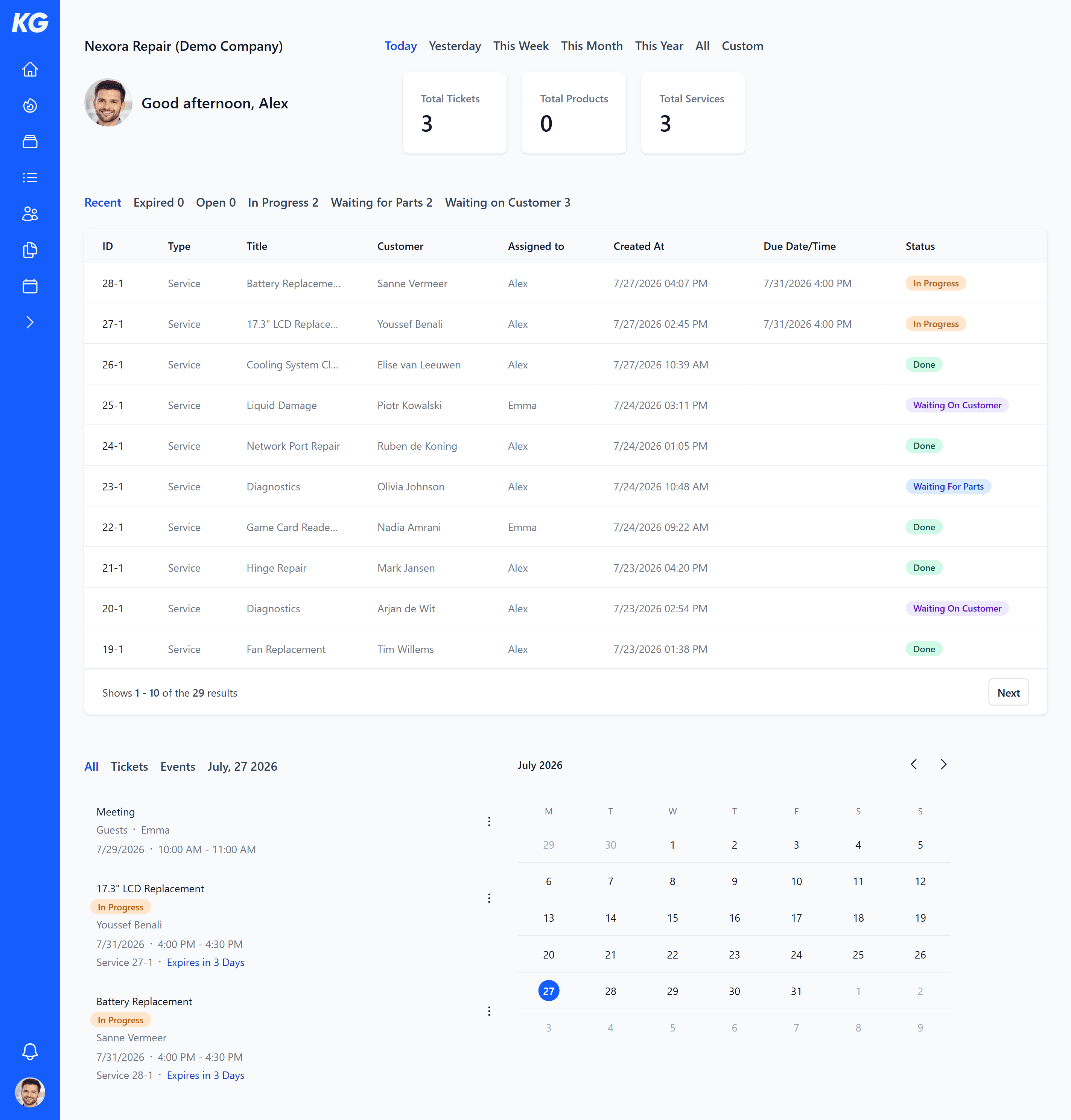
Dashboard, planning, and calendar
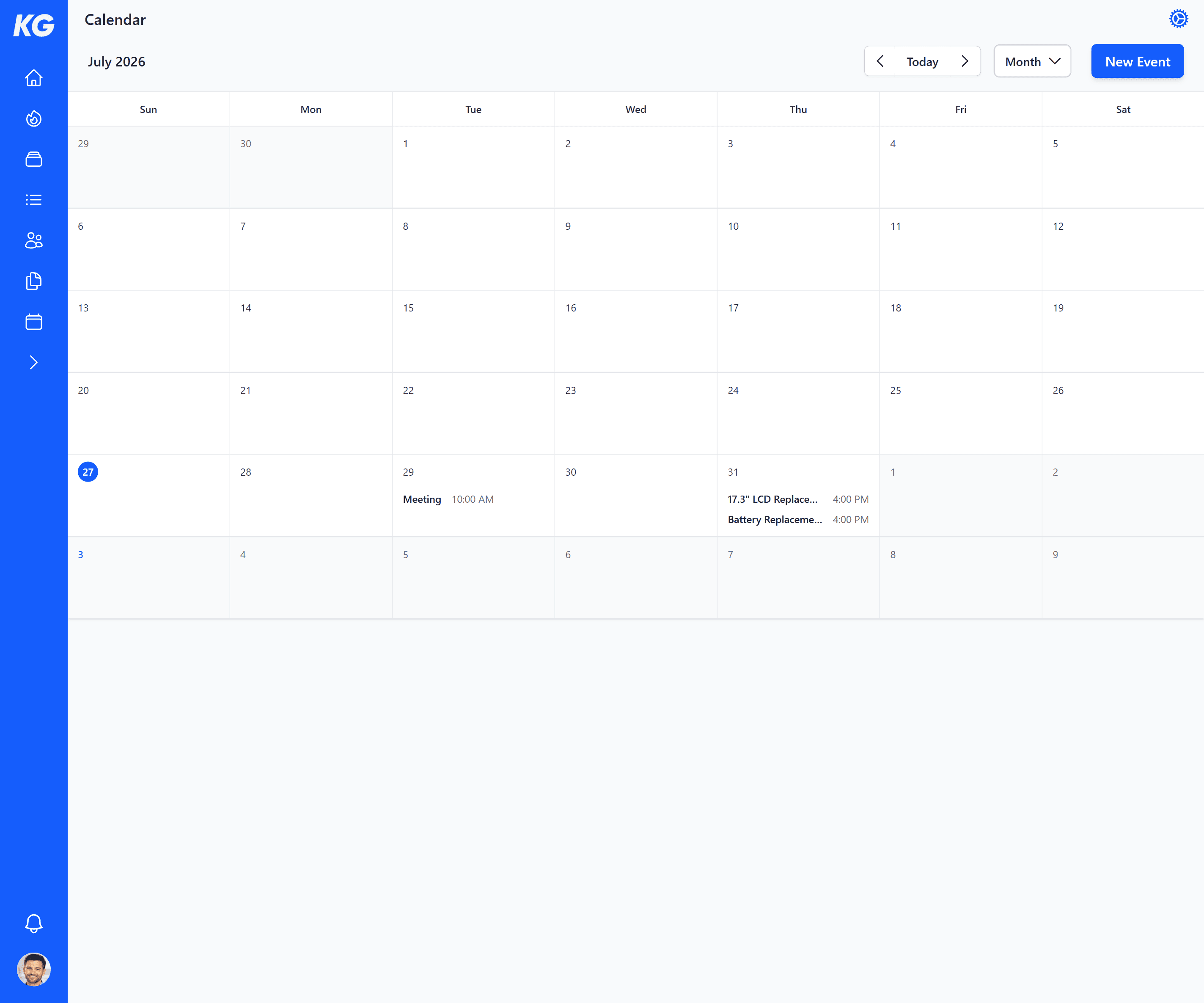
- See open tickets, statuses, due dates, and planning directly on your dashboard, and use the calendar for tickets, events, and reminders.
Customer communication per ticket
- Send and receive emails, send automatic confirmations and status updates, add comments and attachments, and keep everything organized per ticket.
Proof and signed agreements
- Store signed customer agreements neatly and download a PDF with customer details, date, agreement, and signature.
Manage customers and catalog
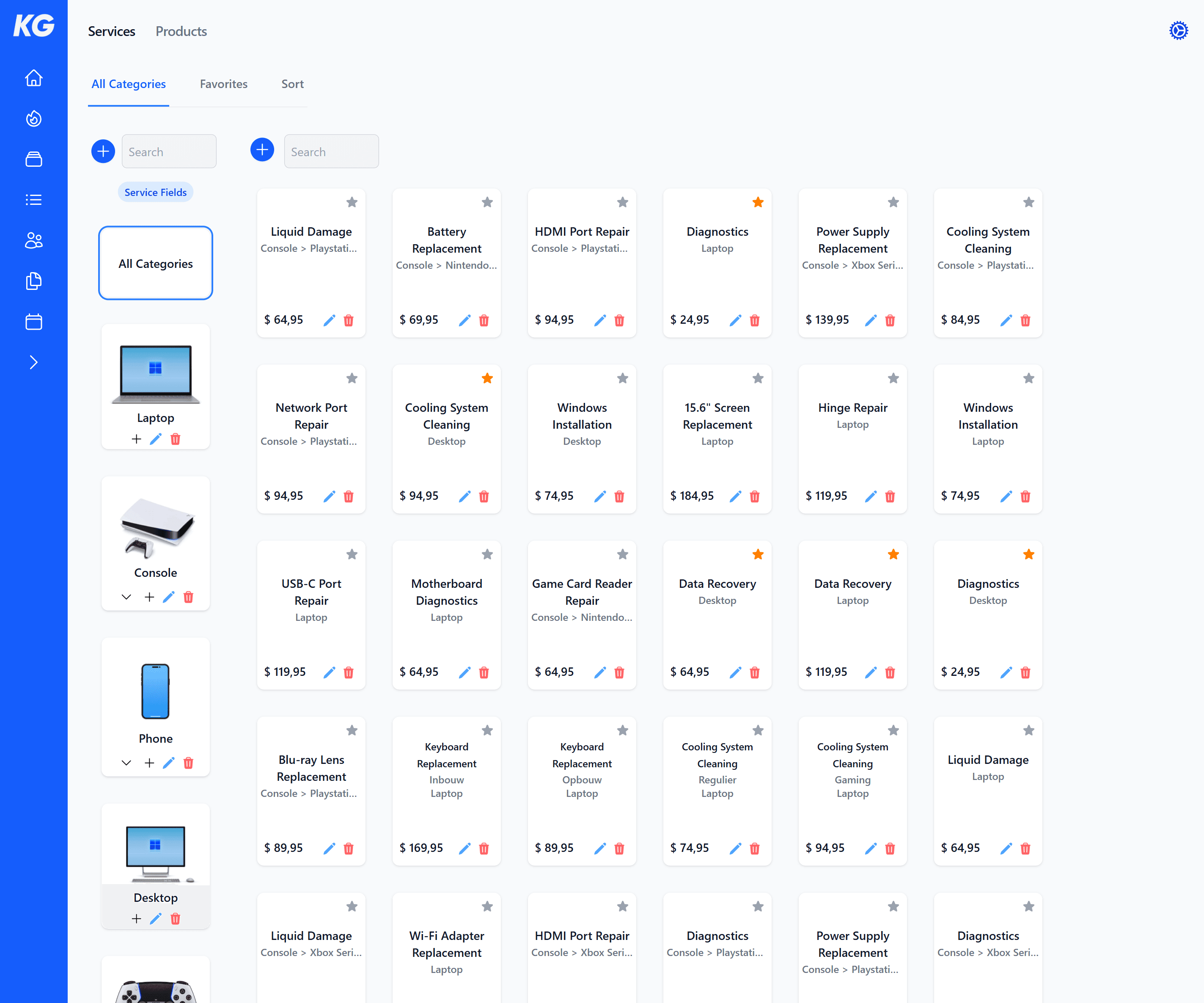
- Manage customer details, linked tickets, and signed agreements, and organize your services, products, categories, favorites, and prices.
Point of Sale for services and products
- Quickly create tickets from your catalog and add services, products, prices, warranty, discounts, and custom fields.
Customer screen with digital signature
- Let customers check themselves in on the customer screen, accept your terms and conditions, and sign digitally.
Invoices, receipts, and labels
- Automatically create invoices with tickets, download them easily, customize your invoice details, and print receipts or labels directly.
Cloud-based and accessible anywhere
- Work securely online on desktop, tablet, and phone, and access your business data whenever and wherever you need it.
Team, settings, and export
- Use KadesGo on your own or with your team, set roles, themes, company details, language, currency, tax, and invoice numbers, and export customers or tickets to CSV.

See the status, schedule, and progress of your business at a glance. Helpful reminders ensure you always stay up to date.
Flexible fields
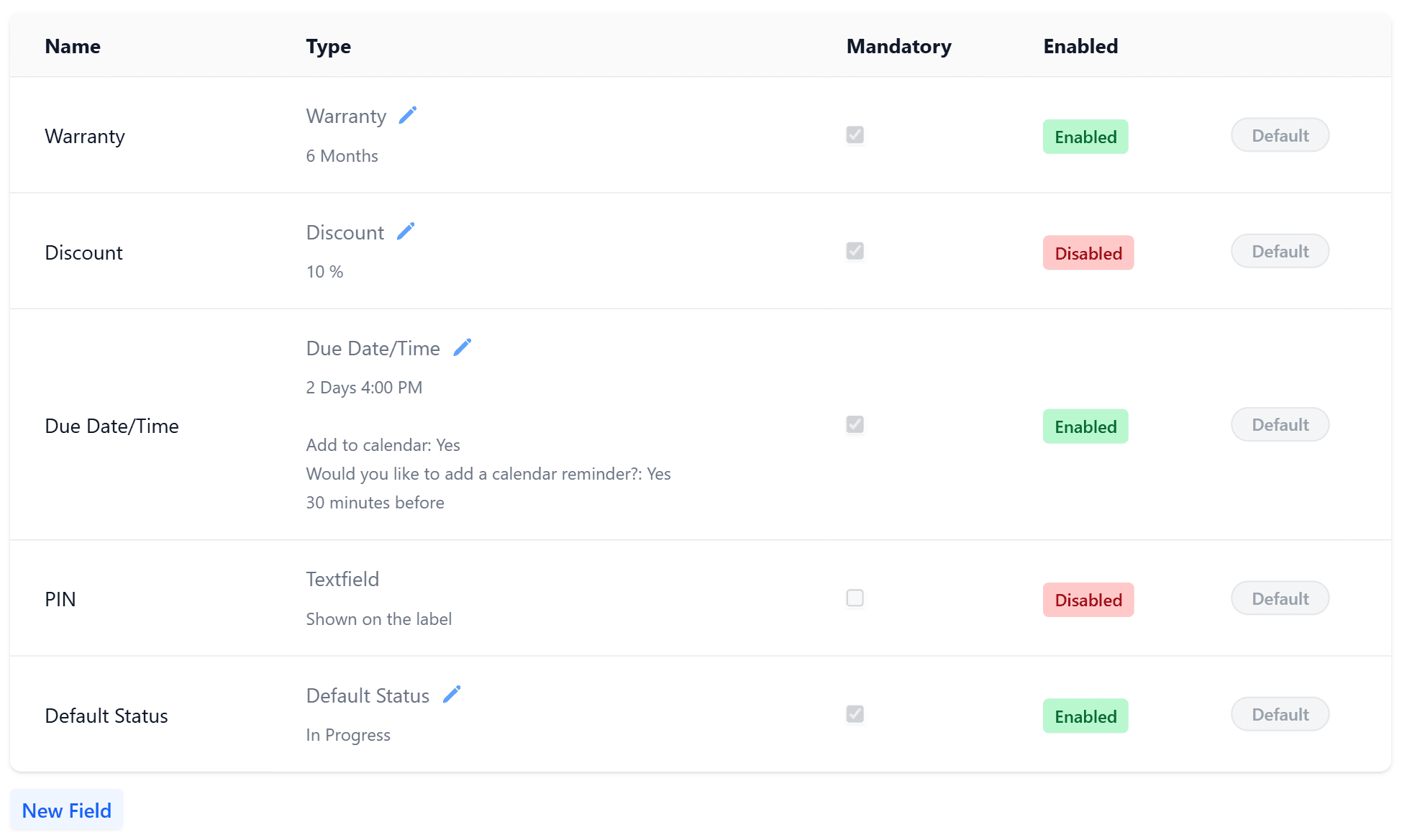
Use standard fields or create your own
Collect exactly the information you need when adding a service or product in the point of sale. Use the standard fields or easily create custom fields that can be edited both before and after the sale.
User management
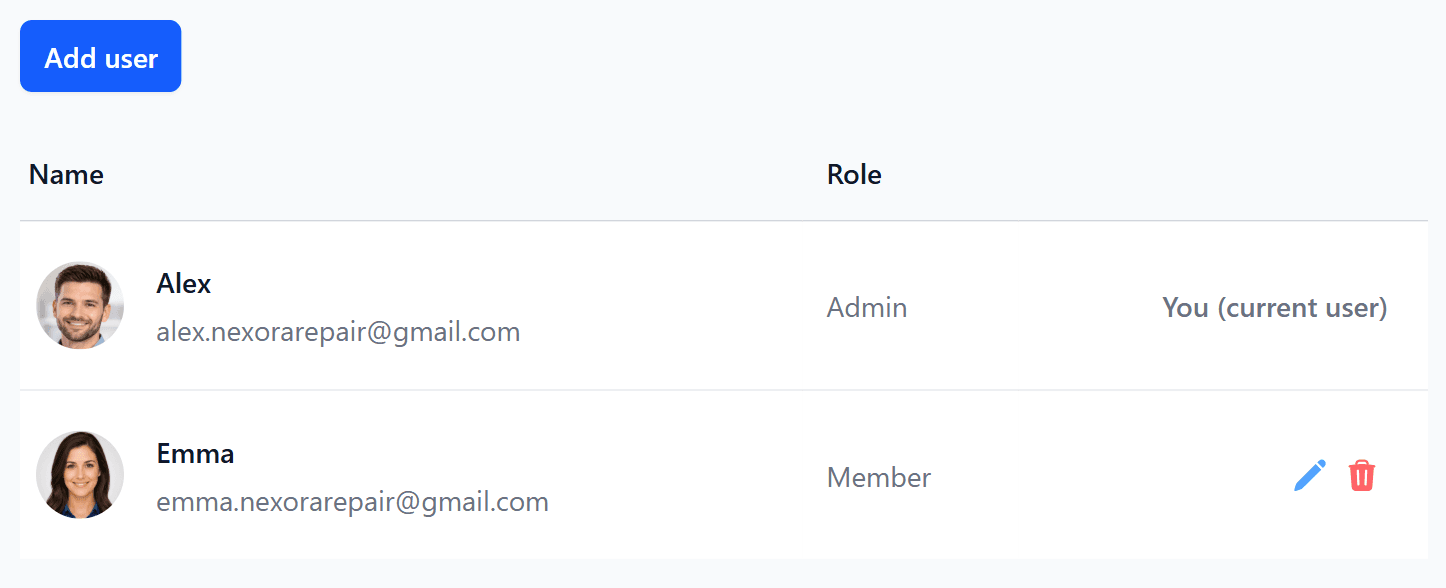
Collaborate efficiently with your team
Add team members, easily assign the appropriate role, and manage all users from one clear overview.
Automatic updates
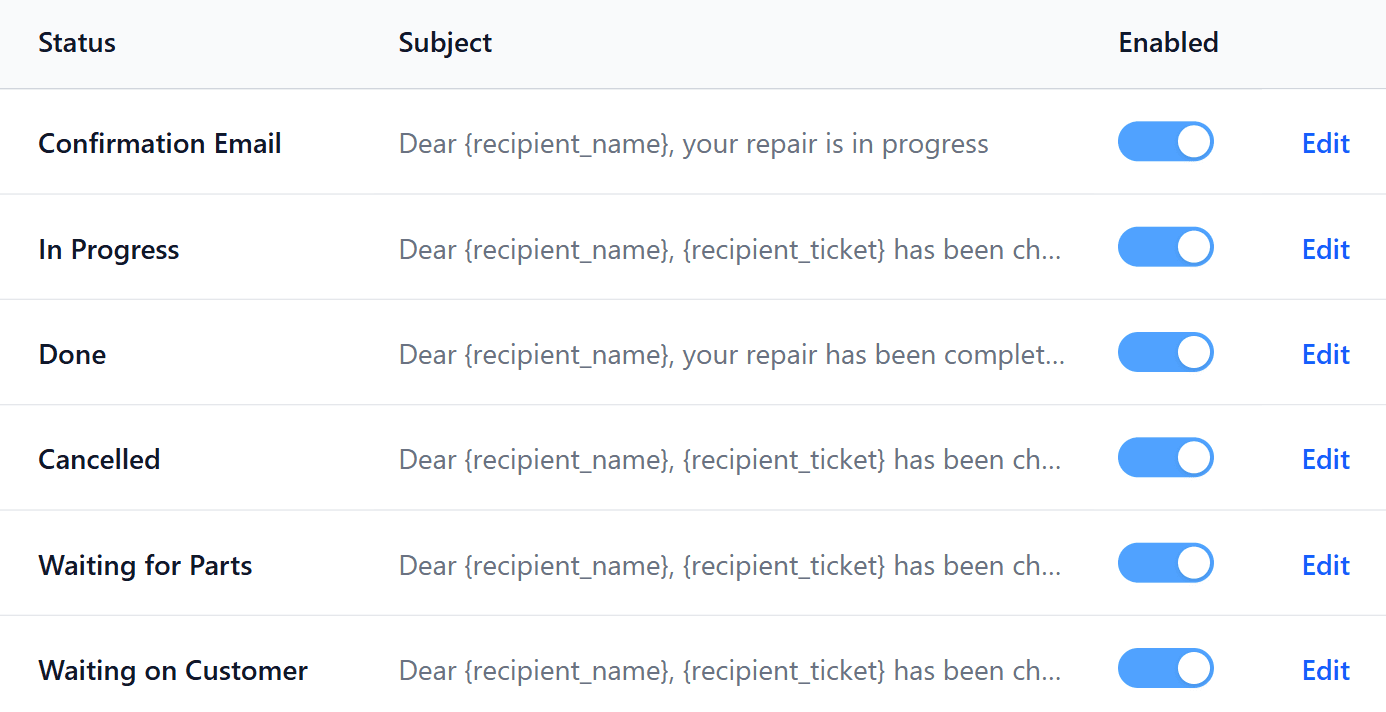
Keep customers automatically informed
Automatically send email updates from your own email address or use a professional KadesGo address with your own sender name.
Use standard fields or create your own
Collect exactly the information you need when adding a service or product in the point of sale. Use the standard fields or easily create custom fields that can be edited both before and after the sale.
Collaborate efficiently with your team
Add team members, easily assign the appropriate role, and manage all users from one clear overview.
Keep customers automatically informed
Automatically send email updates from your own email address or use a professional KadesGo address with your own sender name.
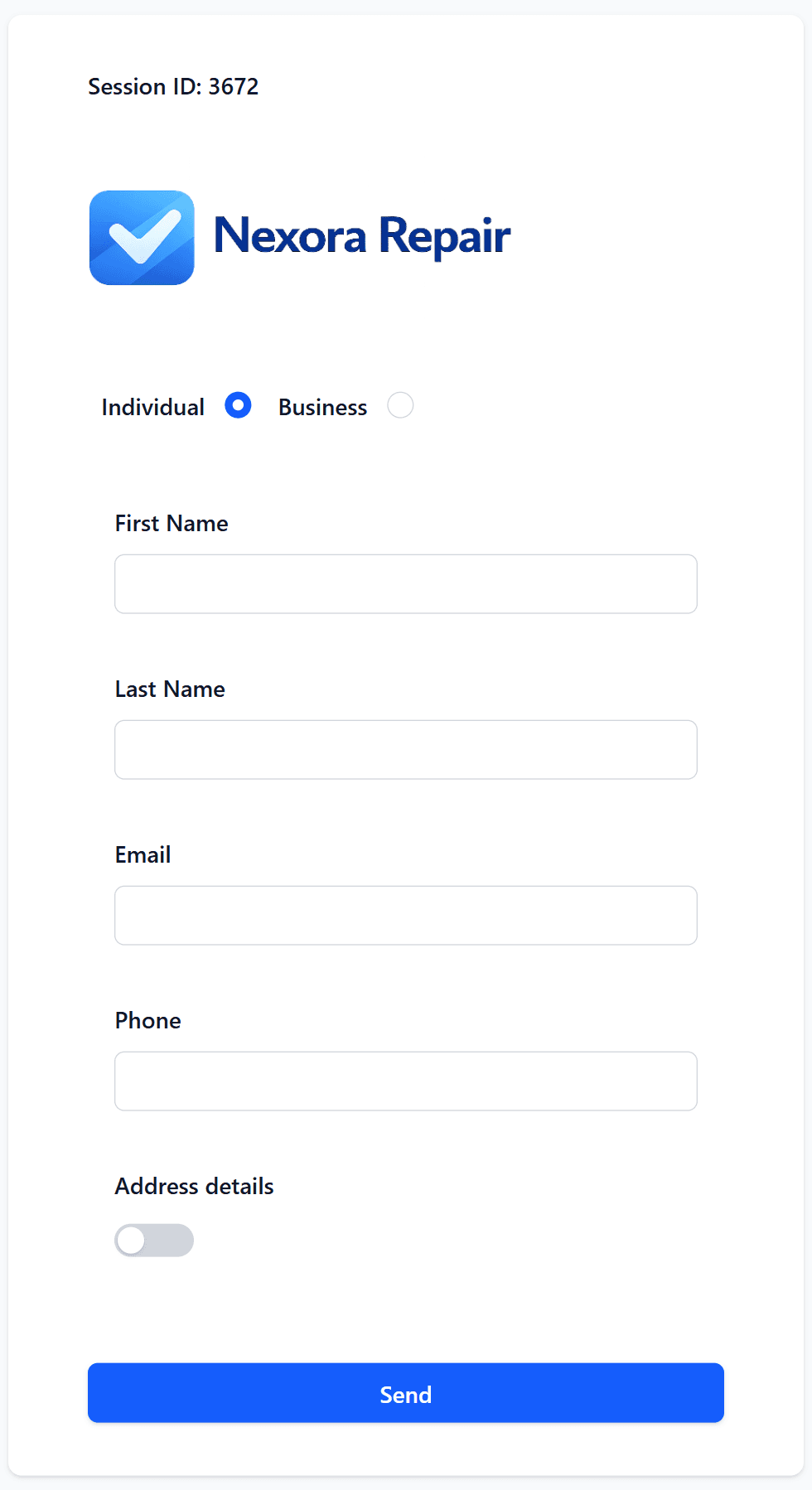
A professional customer screen in your own style
Let customers register, review your terms and conditions, and sign digitally.
Simple for your customers, fully configurable for you
Use the customer screen in your store, on a tablet, or remotely. KadesGo guides the customer through every step and processes their information automatically.
Your unique secure link
- Open the customer screen through a unique link connected to your business.
Smart customer management without duplicates
- Existing customers are automatically recognized and updated, preventing duplicate records from being added to your customer database.
Collect digital signatures instantly
- Select an existing customer and let them immediately review and digitally sign the agreement and terms and conditions.
Manage your own terms and conditions
- Create and update your terms and conditions with the built-in editor and determine exactly what your customers agree to.
Fully tailored to your business
- Personalize the customer screen with your company logo, theme color, and preferred language for a recognizable and professional experience.
Pricing Plans
Get started with a free 30-day trial and commit later. No credit card required.
Per month
$89
- 5 users
- unlimited tickets
- unlimited invoices
- unlimited customers
- unlimited services and products
- customer-facing display
- digital signatures
- signed agreements as PDFs
- dashboard
- scheduling and calendar
- email communication per ticket
- automated emails
- receipts and labels
- images and attachments
- Dutch and English
- desktop, tablet and mobile
- CSV export
- personal setup assistance
Per year
Save 2 months
$890
- 5 users
- unlimited tickets
- unlimited invoices
- unlimited customers
- unlimited services and products
- customer-facing display
- digital signatures
- signed agreements as PDFs
- dashboard
- scheduling and calendar
- email communication per ticket
- automated emails
- receipts and labels
- images and attachments
- Dutch and English
- desktop, tablet and mobile
- CSV export
- personal setup assistance

Frequently Asked Questions
Which payment methods do you accept?
Payments are processed securely through Stripe. Card payments are accepted in every country where KadesGo is available. Depending on your location, popular local payment methods may also be available, such as iDEAL | Wero in the Netherlands. All available options will be shown at checkout.
How do I get started?
Create an account to get started. You’ll receive an email with a secure link to set your password. Once your password is set, you can sign in and start using KadesGo.
Can I get help setting up KadesGo?
Of course. Book a demo or contact us, and we’ll be happy to help you set up KadesGo for your business.
Can each user customize KadesGo?
Yes. Each user can adjust their own preferences and default views, allowing everyone to use KadesGo in the way that works best for them.
Do I need to install any software?
No. KadesGo is a browser-based application that works on desktop computers, tablets and mobile devices. Simply sign in through your browser and continue wherever you are.
How is my business data protected?
KadesGo uses secure authentication and organization-based access controls to ensure users can only access data belonging to their business. Subscription payments are processed separately through Stripe.
What types of businesses is KadesGo suitable for?
KadesGo is designed for repair shops and other service-based businesses that manage tickets, customers, services, products, appointments and invoices. Its flexible setup allows you to adapt it to your workflow.
Can I switch to KadesGo from another system?
If you currently use another system or spreadsheets, contact us to discuss your setup. We’ll help you determine the best way to move your existing data and workflow to KadesGo.